

Building ReadIT: An SSH-Native Terminal Forum in Go
ReadIT is a terminal-native discussion forum built in Go. SSH in, get an account tied to your public key, browse boards, post, comment, vote — all without opening a browser. Built with Charm's Wish, Bubble Tea, Glamour, and PostgreSQL 16.
Why Build a Forum in the Terminal?
Modern web forums are… a lot. You click a link to read a three-sentence comment and your browser downloads 40MB of JavaScript, pops up a cookie banner, asks to send you push notifications, and autoplays a video ad in the corner.
For developers who already live in the terminal, this felt like a problem worth solving. What if you could just:
ssh <address>
No signup forms, no passwords, no browser. Your SSH key is your identity. ReadIT is basically Reddit meets Hacker News, but it lives entirely inside your terminal emulator.
How It Works
ReadIT compiles to a single Go binary. When you SSH in, you don't get a bash shell — you get an isolated Bubble Tea TUI session running inside the SSH connection.
The flow looks like this: your terminal connects via SSH and presents your public key. Charm's Wish server accepts the handshake, extracts the SHA256 fingerprint, and boots a Bubble Tea event loop for your session. That loop talks to PostgreSQL 16 through type-safe queries generated by sqlc, and sends styled terminal output back to your screen using Lip Gloss and Glamour.
Every keystroke (j to scroll, u to upvote, r to reply) goes over the SSH tunnel. Bubble Tea processes it, redraws the UI with Lip Gloss styling and Glamour markdown rendering, and sends the updated terminal buffer back. It feels instant.
Identity: SSH Keys as Login
Your SSH key is your account. When you connect, ReadIT grabs your public key fingerprint from the handshake:
func (s *Server) authHandler(ctx ssh.Context, key ssh.PublicKey) bool {
    fp := gossh.FingerprintSHA256(key)
    ctx.SetValue("fingerprint", fp)
    return true
}
If it's your first time, you pick a handle and you're done — account created, tied to your key. If you've been here before, you're instantly logged in with your karma, notifications, and vote history loaded.
No passwords stored, no credentials to leak. Even if the database got dumped, an attacker only gets public key fingerprints.
The TUI
ReadIT follows the Elm Architecture (Model → Update → View) and uses Lip Gloss for layout and Glamour for rendering markdown in posts and comments with syntax highlighting.
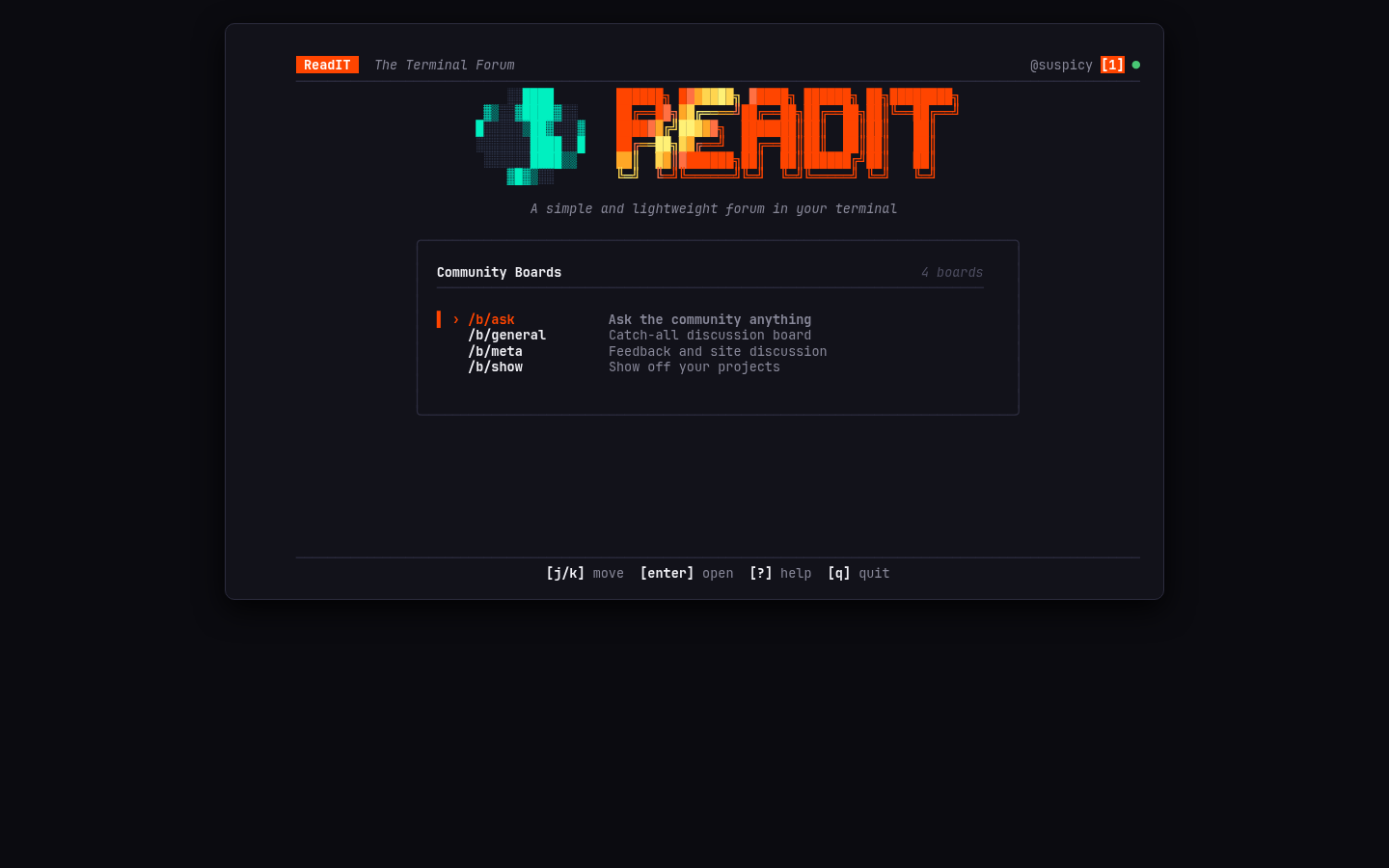
A few things I spent time on:
- Responsive centering — the UI clamps to a comfortable width and centers itself, so it doesn't look weird on ultrawide monitors or tiny SSH sessions.
- A spinning ASCII Earth — the landing page has a 30-frame animated globe with a 23.4° axial tilt. Totally unnecessary, but it makes people smile.
- Vim-style navigation —
j/kto move,g/Gto jump,Enterto open,Escto go back. If you use Vim or Lazygit, you already know the controls.
Feed Management
Boards have a few tools to keep things usable as posts pile up:
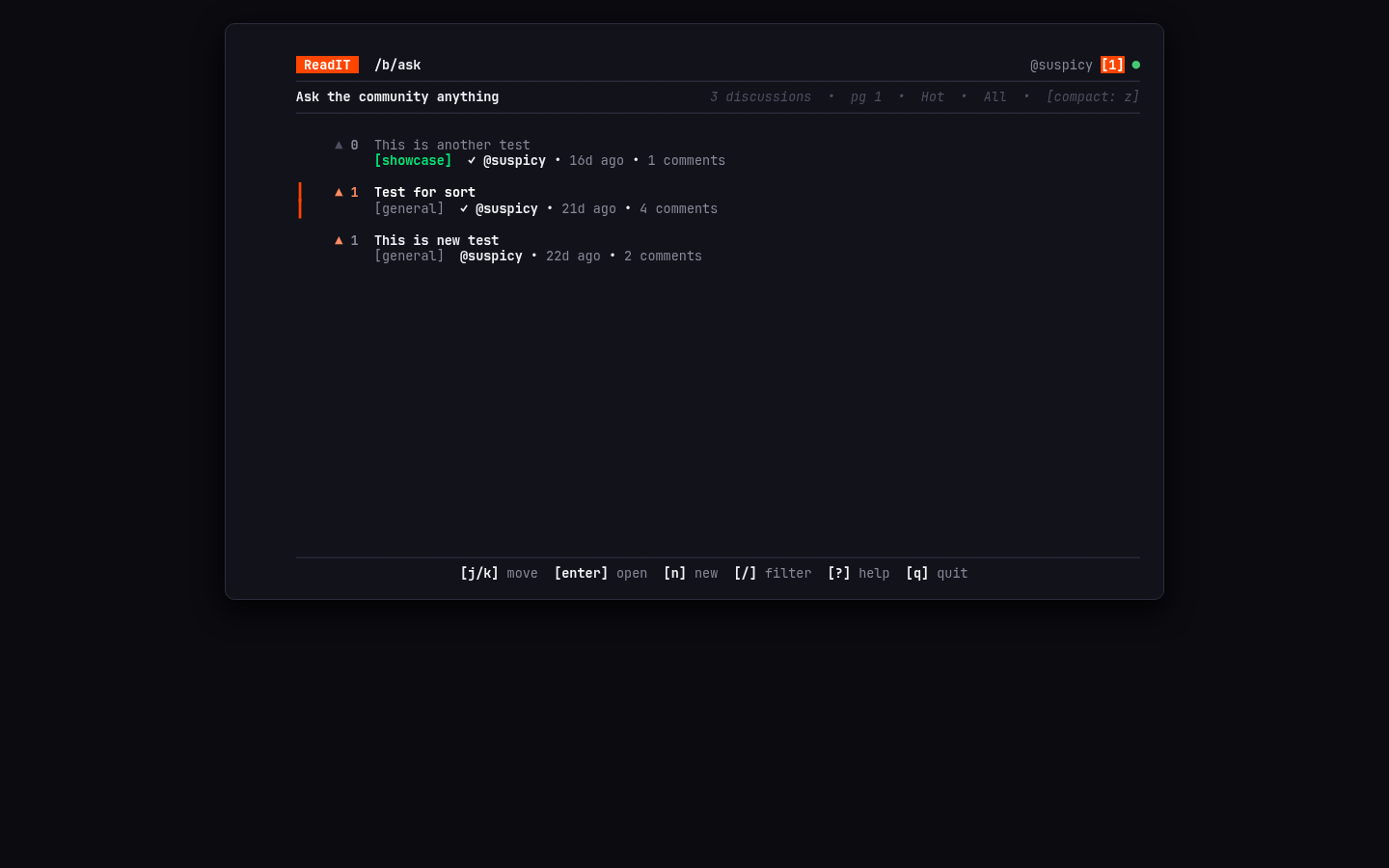
- Sorting (
s): Toggle between Hot (gravity-decay ranking), New, and Top. - Flairs (
c): Tag posts as[discussion],[question],[showcase], etc. Filter by flair in the feed. - Dual-density (
z): Switch between a detailed 3-line card view and a compact single-line view that fits 18+ posts on screen. - Triage (
m/H): Mark posts as read, then hide all read posts for an inbox-zero feel.
Database Stuff
I use sqlc to generate type-safe Go code from plain SQL files — no ORM, no reflection, just SQL that gets validated at compile time against the schema.
Keyset Pagination
Instead of LIMIT 25 OFFSET 50000 (which scans and throws away 50k rows), ReadIT uses cursor-based pagination. Every page load is an index seek regardless of how deep you are in the feed:
WHERE p.board_id = $1
  AND (p.hot_score < @cursor_hot_score
       OR (p.hot_score = @cursor_hot_score AND p.id < @cursor_id))
ORDER BY p.hot_score DESC, p.id DESC
LIMIT $2;
Comment Trees
Threaded comments are fetched in one shot with a recursive CTE, capped at 15 levels deep to prevent abuse:
WITH RECURSIVE thread AS (
    SELECT ..., 0::INT AS depth
    FROM comments WHERE post_id = $1 AND parent_id IS NULL
    UNION ALL
    SELECT ..., t.depth + 1
    FROM comments c JOIN thread t ON t.id = c.parent_id
    WHERE c.post_id = $1 AND t.depth < 15
)
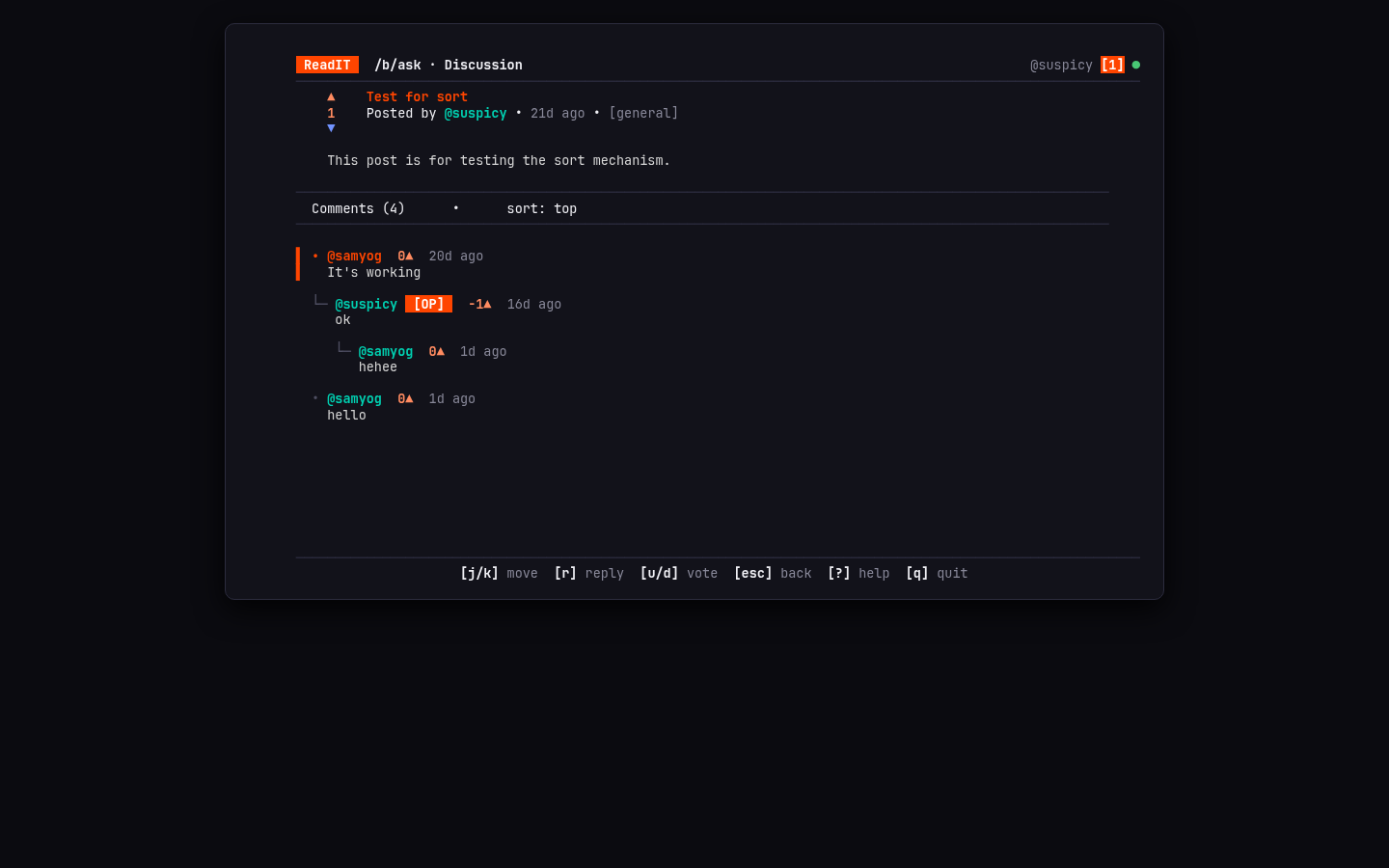
Deleting Stuff Without Breaking Conversations
Deletions in threaded forums are always messy. Hard-delete a post and you wipe out everyone's replies. Soft-delete everything and your feed fills with ghost posts.
ReadIT does both: when you delete a post, it's soft-deleted (shows as [deleted by author]) so replies stay intact. Once the last active comment in the thread gets removed, a recursive CTE prunes all the dead tombstone comments bottom-up, and then the post itself gets hard-deleted. The thread cleans up after itself.
Notifications and Profiles
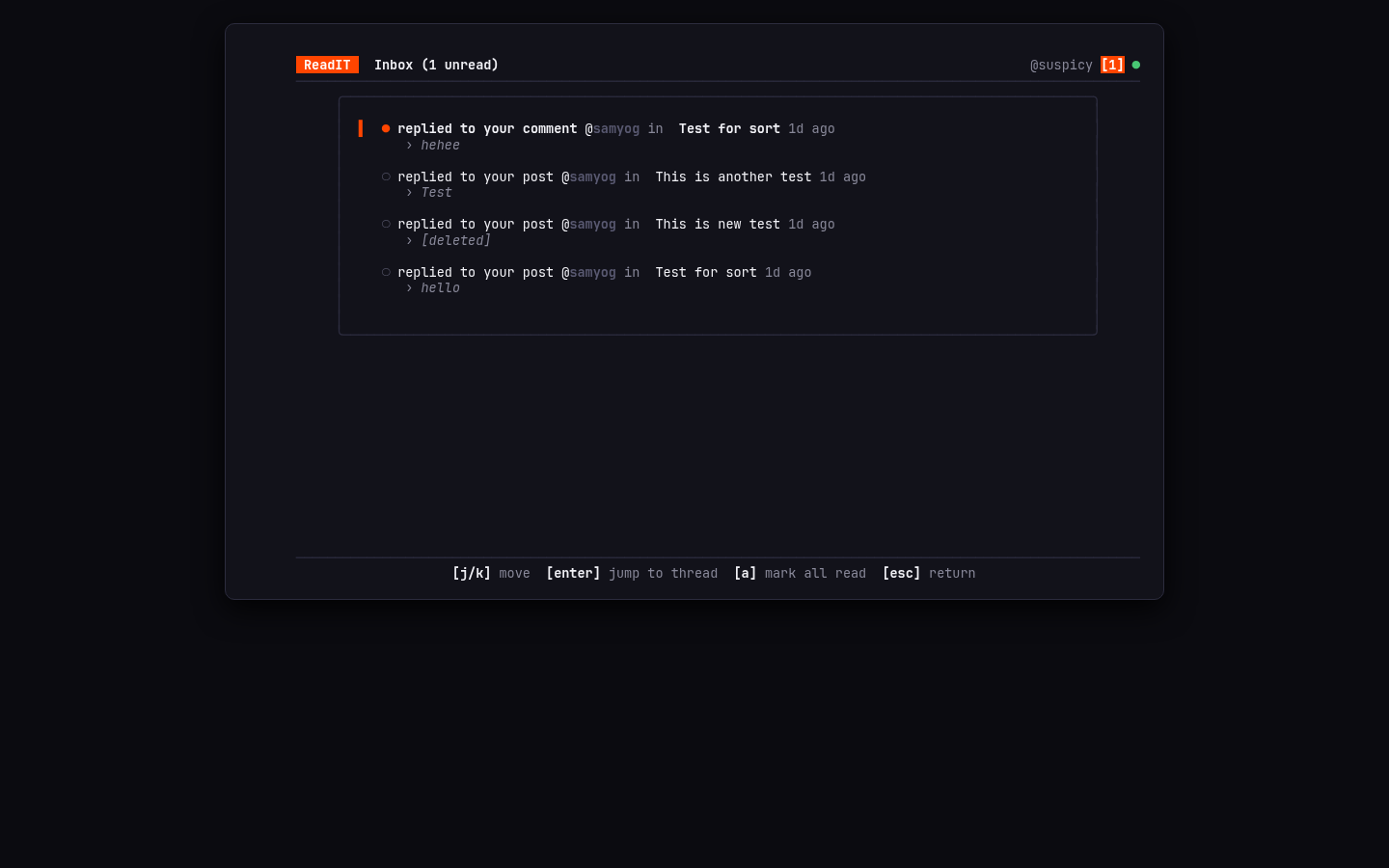
- Reply inbox (
i): When someone replies to your post or comment, you get a badge in the header (@alice [3]). Open the inbox, press Enter on a notification to jump straight to that reply in the thread.
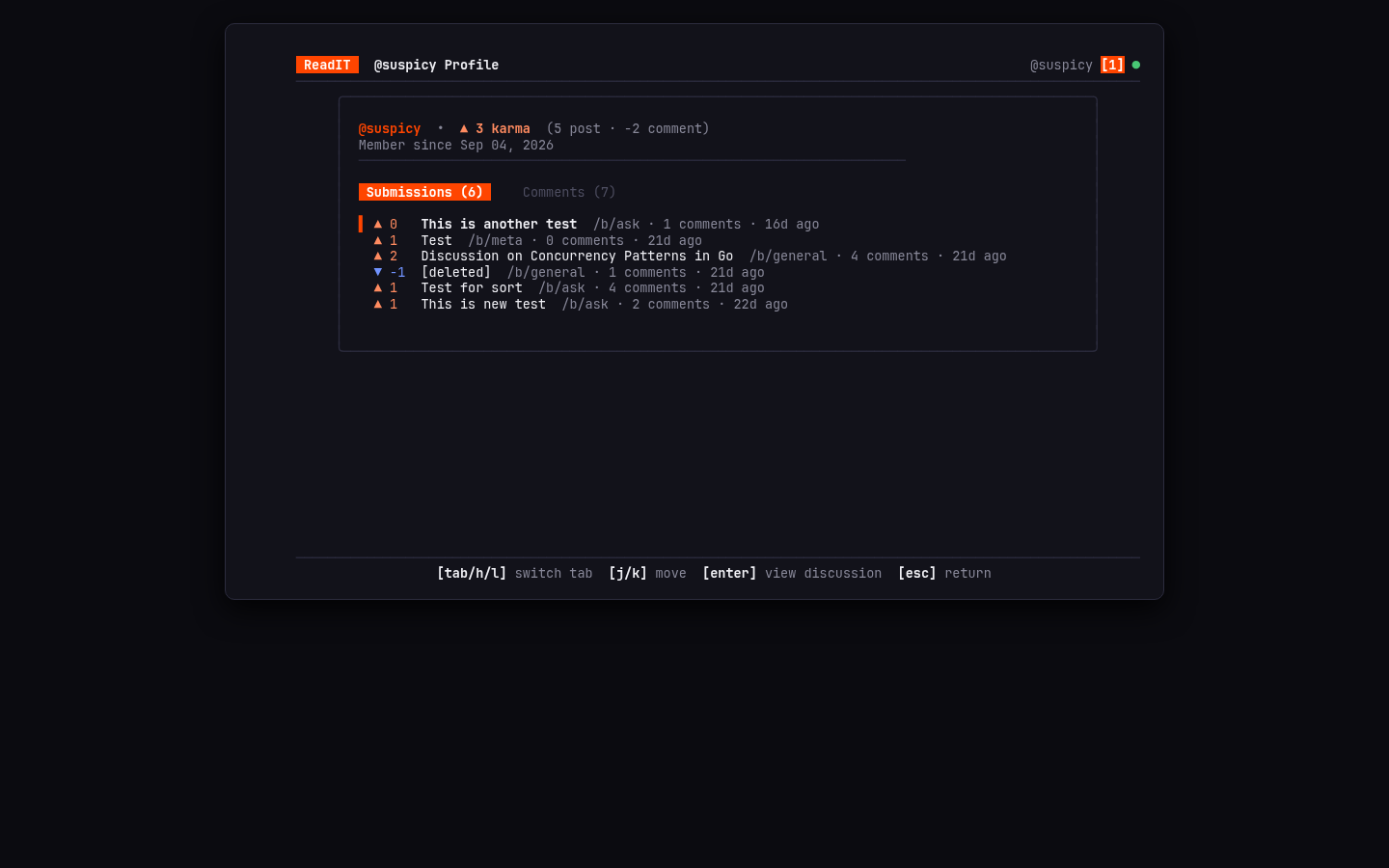
- Profiles (
p): View your post and comment karma, browse your submission history. Karma is denormalized on the user row and updated atomically inside the same transaction as each vote — no expensive aggregation queries.
Security
Running an SSH forum means you're taking strings from strangers and rendering them into other people's terminals. That's a real attack surface.
The short version:
- All user text is stripped of ANSI escape sequences and control codes before rendering (prevents terminal escape injection attacks).
- Handles are validated with a strict regex. Post content goes through a profanity filter that catches leetspeak substitutions.
- 3-second cooldown between comments to limit spam.
- SSH idle timeouts prevent connection pool exhaustion. PostgreSQL statement timeouts (3s) prevent slow queries from blocking everything.
What's Next
- Theme engine — switch between Catppuccin, Nord, Dracula, etc.
- Watchlists — get notified when threads you care about get new replies.
- Community sub-boards — let users create their own boards.
Check out the ReadIT source code on GitHub — clone the repo, run docker compose up -d and make run to try it yourself.